# Useful commands for your Mac

- Author: @gurupanguji
- Date: 2024-02-13
- URL: https://gurupanguji.com/blog/2024/02/13/useful-commands-for-your-mac/
- Categories: essay, technology
- Tags: apple, commandline, commands, mac, manual, techdesk, zsh

---


<!-- wp:paragraph -->
<p>Terminal is one of my favorite applications in the Mac and <a href="/blog/2024/01/19/moving-back-to-a-computer/" target="_blank" rel="noopener" title="">I've been getting familiar with zsh</a>. This post is a living post where I will keep updating what I learn on the commandline. </p>
<!-- /wp:paragraph -->

<!-- wp:heading -->
<h2 class="wp-block-heading">Update hostname</h2>
<!-- /wp:heading -->

<!-- wp:paragraph {"className":"is-style-info"} -->
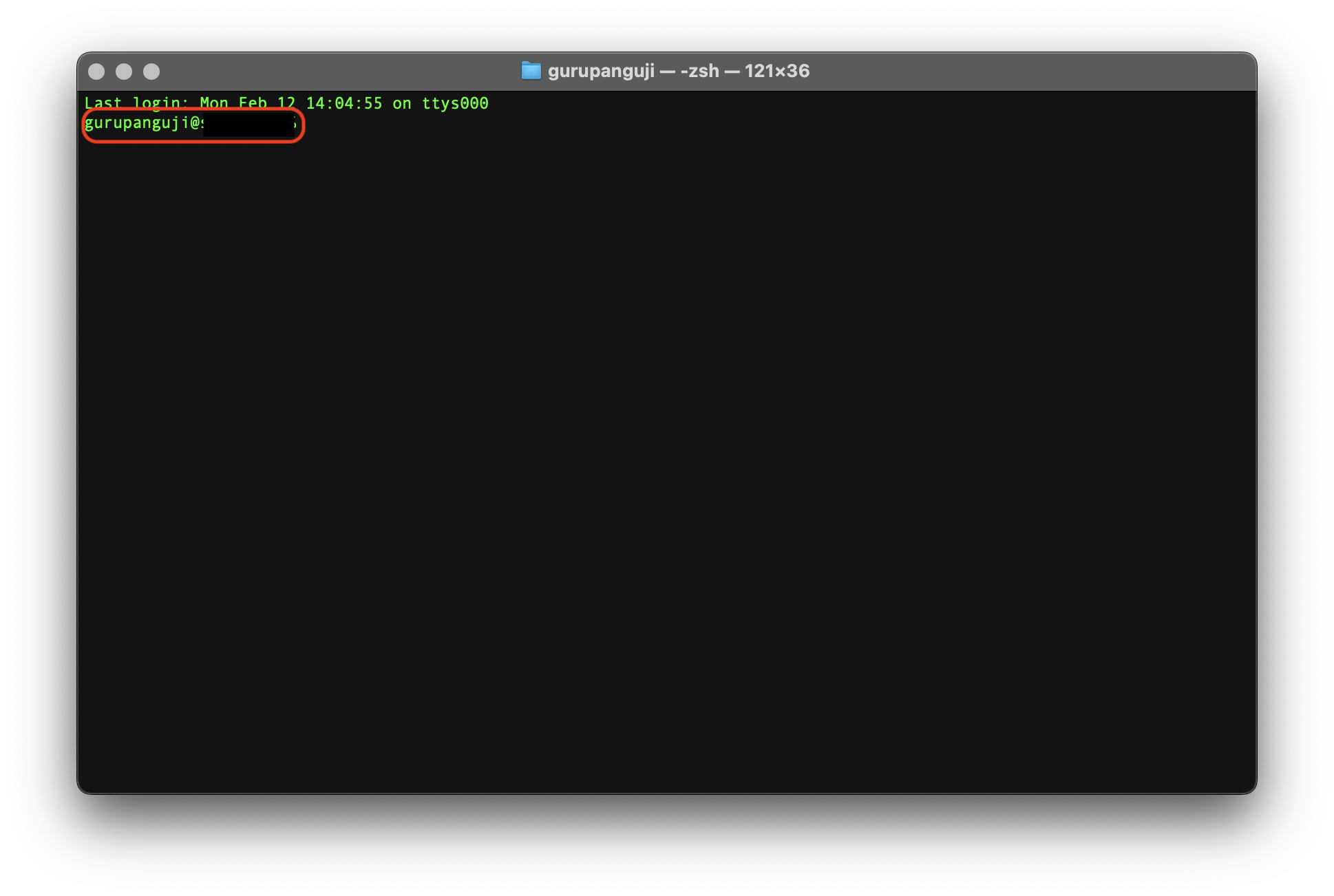
<p class="is-style-info">What's the hostname? The word that shows up right after your username if you open "Terminal."</p>
<!-- /wp:paragraph -->

<!-- wp:image {"id":2232,"sizeSlug":"large","linkDestination":"media"} -->
<figure class="wp-block-image size-large"><a href="/assets/images/blog/Screenshot-2024-02-12-at-14.20.49.png"><img src="/assets/images/blog/Screenshot-2024-02-12-at-14.20.49-1024x688.png" alt="" class="wp-image-2232"/></a></figure>
<!-- /wp:image -->

<!-- wp:paragraph -->
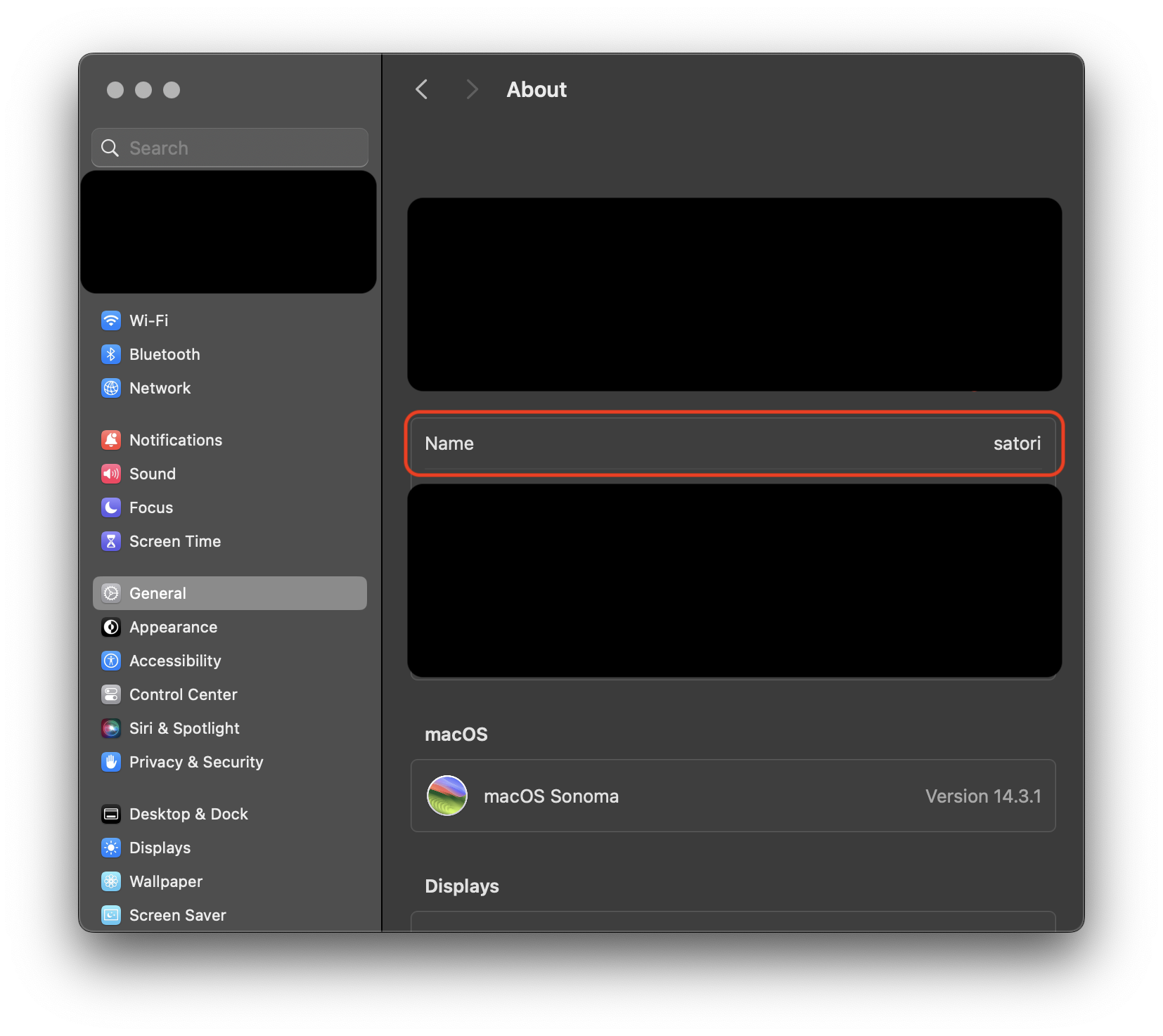
<p>mac OS used to update the hostname when you update the Computer Name: </p>
<!-- /wp:paragraph -->

<!-- wp:paragraph {"className":"is-style-info"} -->
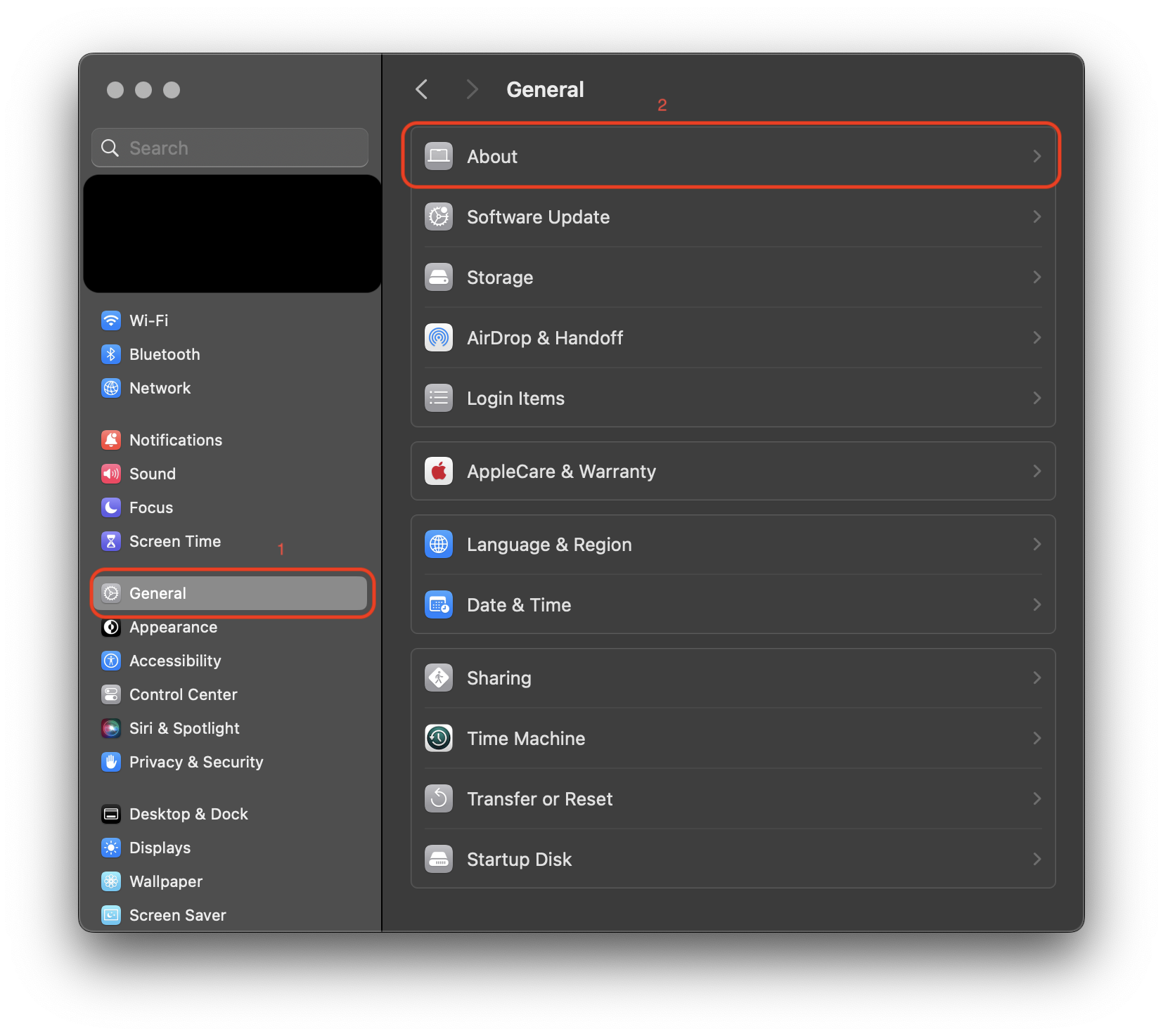
<p class="is-style-info">Settings > General > About</p>
<!-- /wp:paragraph -->

<!-- wp:image {"id":2225,"width":"620px","height":"auto","sizeSlug":"large","linkDestination":"media","animation":"fadeIn"} -->
<figure class="wp-block-image size-large is-resized coblocks-animate" data-coblocks-animation="fadeIn"><a href="/assets/images/blog/Screenshot-2024-02-12-at-14.09.52.png"><img src="/assets/images/blog/Screenshot-2024-02-12-at-14.09.52-1024x913.png" alt="" class="wp-image-2225" style="width:620px;height:auto"/></a></figure>
<!-- /wp:image -->

<!-- wp:image {"id":2226,"sizeSlug":"large","linkDestination":"media"} -->
<figure class="wp-block-image size-large"><a href="/assets/images/blog/Screenshot-2024-02-12-at-14.09.56.png"><img src="/assets/images/blog/Screenshot-2024-02-12-at-14.09.56-1024x913.png" alt="" class="wp-image-2226"/></a></figure>
<!-- /wp:image -->

<!-- wp:paragraph -->
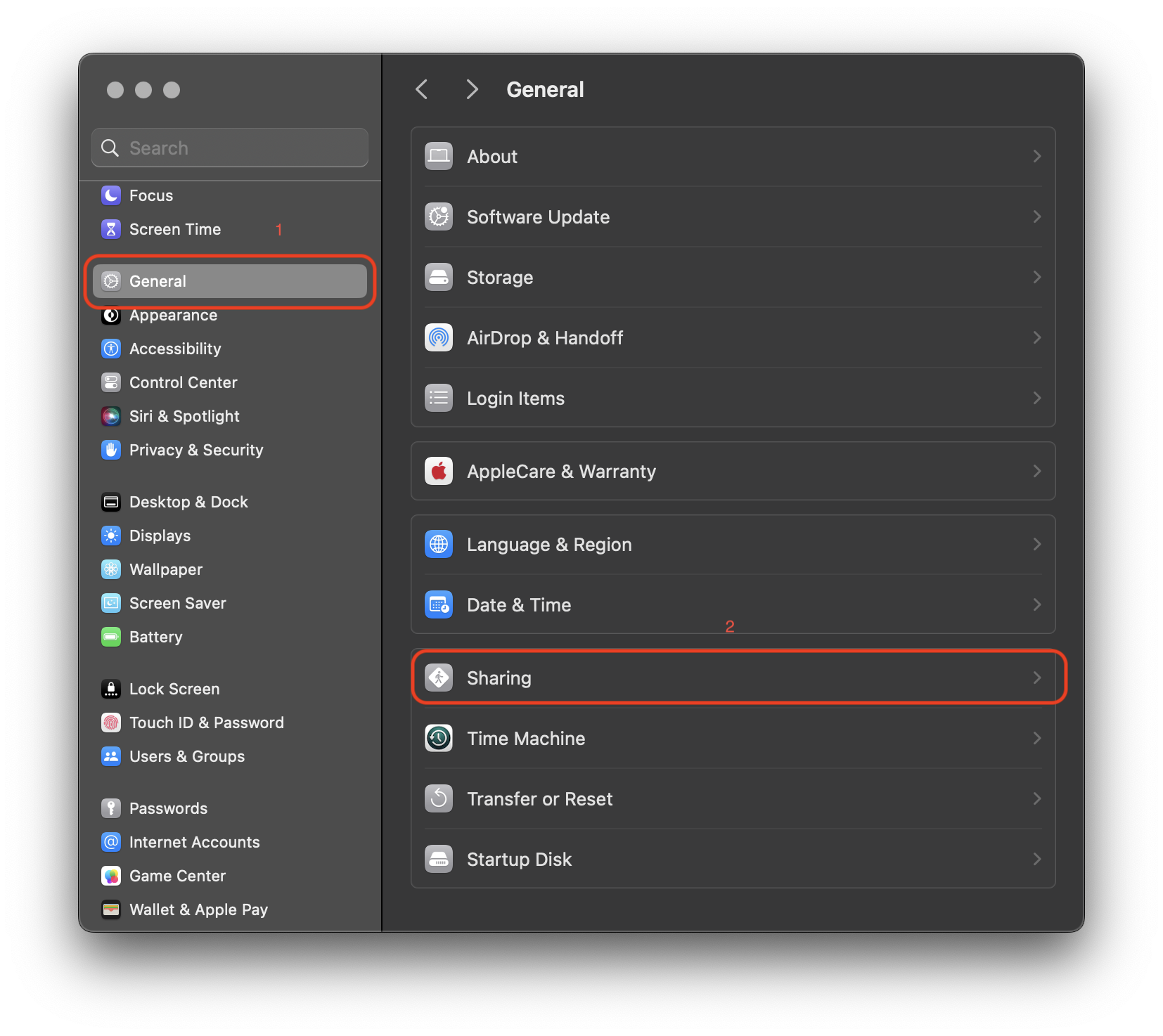
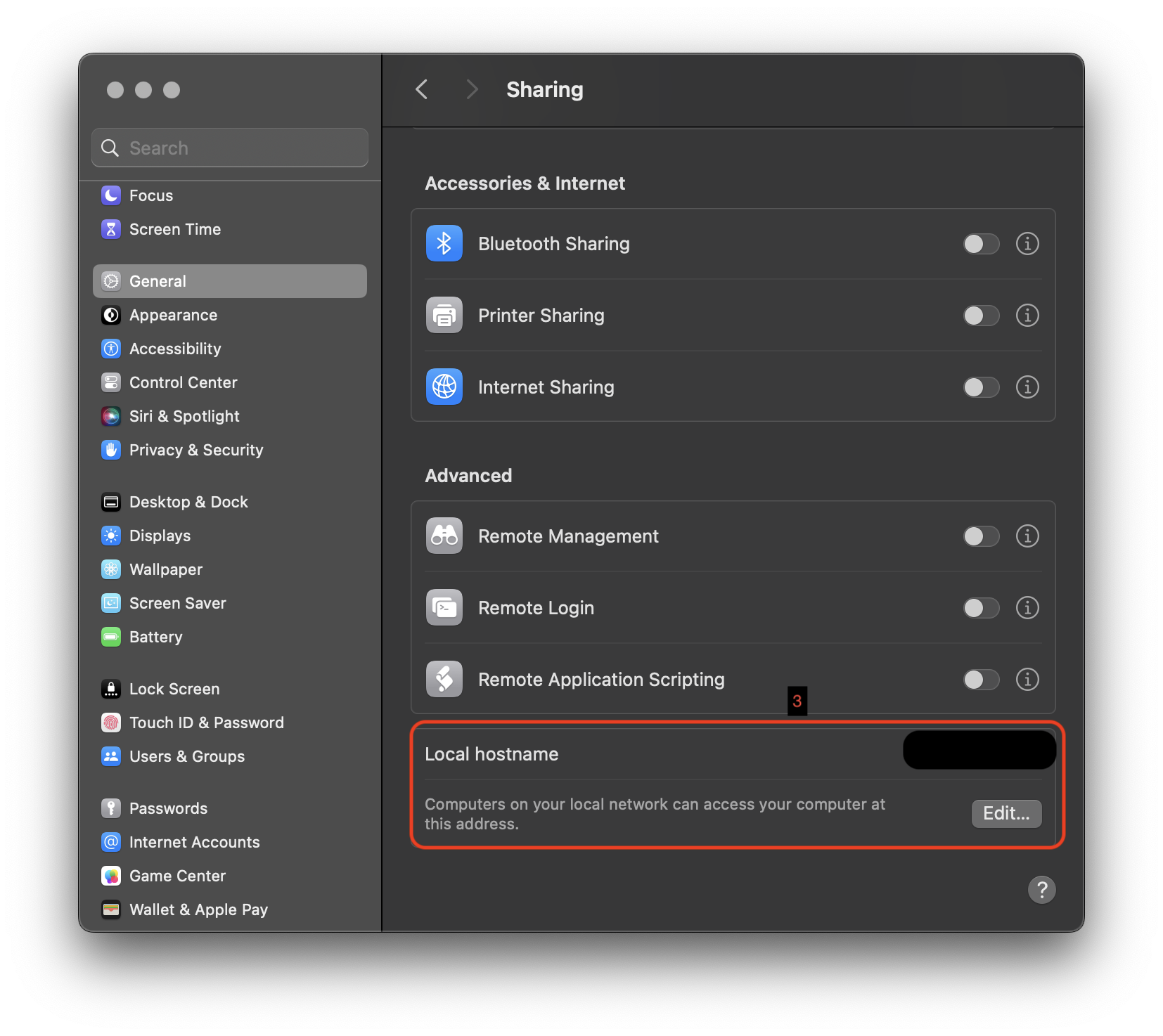
<p>Or under Sharing</p>
<!-- /wp:paragraph -->

<!-- wp:paragraph {"className":"is-style-info"} -->
<p class="is-style-info">Settings > General > Sharing > Local hostname</p>
<!-- /wp:paragraph -->

<!-- wp:image {"id":2228,"sizeSlug":"large","linkDestination":"media"} -->
<figure class="wp-block-image size-large"><a href="/assets/images/blog/Screenshot-2024-02-12-at-14.16.52.png"><img src="/assets/images/blog/Screenshot-2024-02-12-at-14.16.52-1024x913.png" alt="" class="wp-image-2228"/></a></figure>
<!-- /wp:image -->

<!-- wp:image {"id":2230,"sizeSlug":"large","linkDestination":"media"} -->
<figure class="wp-block-image size-large"><a href="/assets/images/blog/Screenshot-2024-02-12-at-14.16.57.png"><img src="/assets/images/blog/Screenshot-2024-02-12-at-14.16.57-1024x913.png" alt="" class="wp-image-2230"/></a></figure>
<!-- /wp:image -->

<!-- wp:paragraph -->
<p>At least in mac OS 14.3.1, when you update any of these places, it doesn't sync to zsh. </p>
<!-- /wp:paragraph -->

<!-- wp:paragraph -->
<p>You can use the following command to change it</p>
<!-- /wp:paragraph -->

<!-- wp:code -->
<pre class="wp-block-code"><code>scutil --set HostName &lt;hostname></code></pre>
<!-- /wp:code -->

<!-- wp:paragraph -->
<p>That should update it on zsh. </p>
<!-- /wp:paragraph -->

<!-- wp:paragraph -->
<p>I am hearing some good things about <a href="https://ohmyz.sh/" target="_blank" rel="noopener" title="">Oh My Zsh</a>. However, I've not checked it out myself, yet. </p>
<!-- /wp:paragraph -->